
![[Xon] Conversation Essentials](/data/resource_icons/0/768.jpg?1729052275)
- XF-Kompatibilität
- 2.2.x
- 2.3.x
- Kurzbeschreibung
- Easily manage and enhance your forum conversations with Conversation Improvements by Xon. View, manipulate, and label multiple conversations, set inbox size limits, auto respond to vacation members, and more. Perfect for large forums with no reported issues.
require Conversation Improvements
https://www.nullpro.net/resources/conversation-improvements-by-xon.2417/
About:
This add-on adds vital functions and features for viewing and managing personal conversations.
Currently installed on large forums with no reported issues.
This add-on is simply a must have for anyone with more than just a few conversations in their Inbox.
If upgrading from the XF1 version please see the FAQ.
Many features require the Conversation Improvements (free) "Manage Conversations" for moderators to use those permissions in any conversation.
Feature List:
https://www.nullpro.net/resources/conversation-improvements-by-xon.2417/
About:
This add-on adds vital functions and features for viewing and managing personal conversations.
Currently installed on large forums with no reported issues.
This add-on is simply a must have for anyone with more than just a few conversations in their Inbox.
If upgrading from the XF1 version please see the FAQ.
Many features require the Conversation Improvements (free) "Manage Conversations" for moderators to use those permissions in any conversation.
Feature List:
- Easily see conversation participants. Conversation participants are visible in the conversation list where the participants may be displayed as either usernames or avatars, and can easily be switched via a toggle. An overlay with all the participants is also available. See image #1
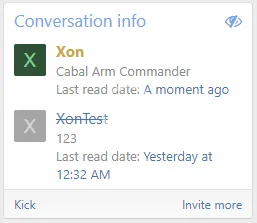
- Easily see who has left a conversation permanently. Participants who have left a conversation permanently (ie will never receive further responses), are now displayed with a strikethrough their username and an X at the top right corner of their avatar. This is invaluable information as before you did not know whether a participant will ever see/read your message. If all participants have left a particular conversation, the reply box will now be hidden to prevent sending out a message that no one will ever see/read. See last image.
- Multiple conversations manipulation. All conversations now have a checkbox beside their title, allowing for the selection of multiple conversations to be processed inline all at once. Actions that may be performed inline are: See image #3
- Set Label
- Stick / unstick
- Lock / unlock
- Copy to Thread
- Labels/Folders. This option provides certain usergroups the ability to create their own labels and assign them to their conversations for easy referencing. Conversations are searchable by prefix. Functions like mail-like folders.
- Admins can also create default labels available via user-group
- Trash bin & rejoin deleted conversations. Allows users to rejoin a conversation they have left before it is permanently deleted when all users leave.
- Option to prevent deleting conversations, and preserve them. Users can still leave them as expected.
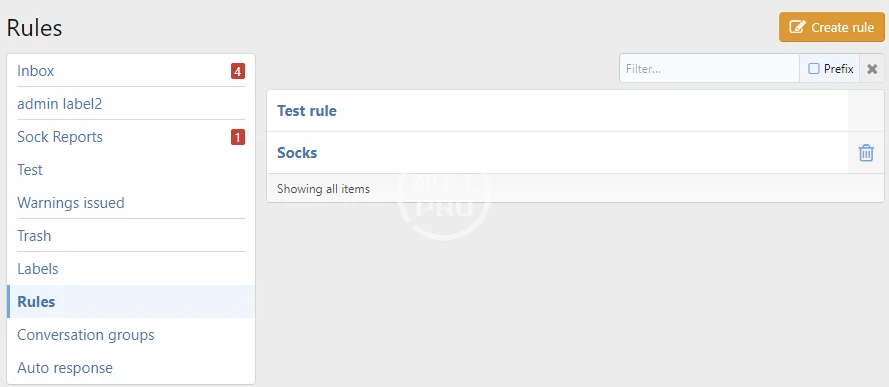
- Conversation rules. This is a powerful feature which allows limited mail-box like rules to automatically assign conversations to labels as they are received.
- Admins can also create default rules available via user-group
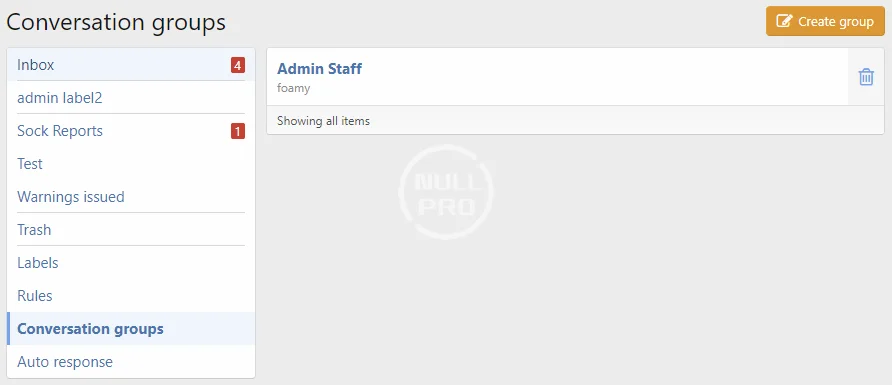
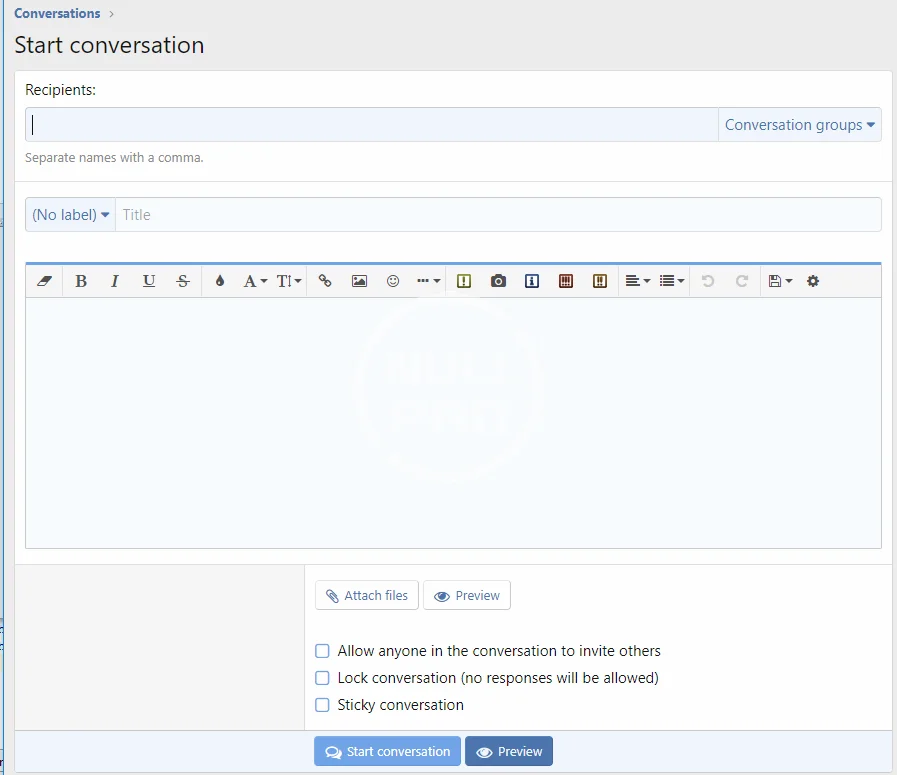
- Participant groups. This option provides certain usergroups with the ability to create Participant Groups. These groups of multiple recipient names are then available via a dropdown menu when starting a new conversation. This is a great time saver when you often need to start a conversation with the same group of people such as your forum staff.
- Inbox size limit. This option allows you to set a limit to the size of the inbox for certain usergroups. A visual percentage bar and text is displayed on the conversation list page, giving your members a clear indication of exactly how much space they have left in their inbox. Once the limit is reached, the user is prevented from starting or receiving new conversations. Should a member be blocked from receiving a conversation, they will get an alert indicating that person X has tried to contact them but could not get through due to their inbox being full.
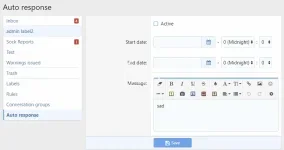
- Auto Respond to conversation starter. With this option, your members are able to set an auto response message to new conversations they receive while on vacation. Each member can set a start date, an end date, and the message that will be automatically posted for them whenever they receive a new conversation/reply. There is also the ability to exclude people you follow from receiving this response.
- Moderator Auto Respond after X number of days. This feature ensures that conversations directed at moderators do not go un-answered. If one of your moderators is contacted but he/she has not logged-in for X number of days, the system will first attempt to auto respond with the moderator's Auto Response message (user group permission required). Should this moderator not have an active auto response, the system will then respond with the Mod Auto Response suggesting the member contact one of the other moderators instead.
- Sticky a conversation. Conversations can now be set as Stickies. A Sticky ensures the conversation will always remain at the top of the list.
- Locked conversations display a 'locked' icon as well provide the appropriate status text when viewing the conversation.
- Option to allow admins and moderators to reply to locked conversations. This saves moderators from having to start a new conversation whenever a member contacts them with a locked conversation.
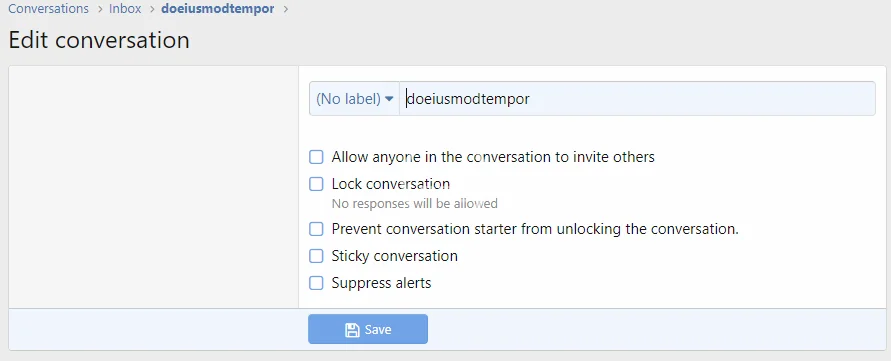
- Option to allow admins and moderators to prevent conversation starters from unlocking their own conversations. Allows moderation to truly stop a conversation without having to leave it.
- Inbox popup last poster avatar. The inbox popup menu has an option to display the avatar of the last poster (instead of the default conversation starter).
- Last message preview. With this option, when conversation titles on the conversation list page are hovered, a preview of the last message will display.
- Last Read Date (Confirmation / Indication). Option to show conversation participant's Last Read Date with a link to the last message they have read. This date and link can be found underneath each of the participant's user name and title in the participants block of each conversation. There is also an option to allow each member to opt out of this feature via their Account/Privacy page, in which case their last read date will display as 'N/A'.
- Kick Participants out of conversations. Option to allow certain user groups to kick a user out of their conversation via a "kick" link at the bottom of the participants list. A kicked user may be re-invited back into the conversation at any time. Please note that those users who leave the conversation on their own accord cannot be invited back as per default XenForo behaviour. Administrators cannot be kicked out of conversations, while Moderators can only be kicked out by Administrators.
- Prune conversations that haven't had a reply in x days. (Runs on a cron every day, you can set it to 0 to disable the feature).
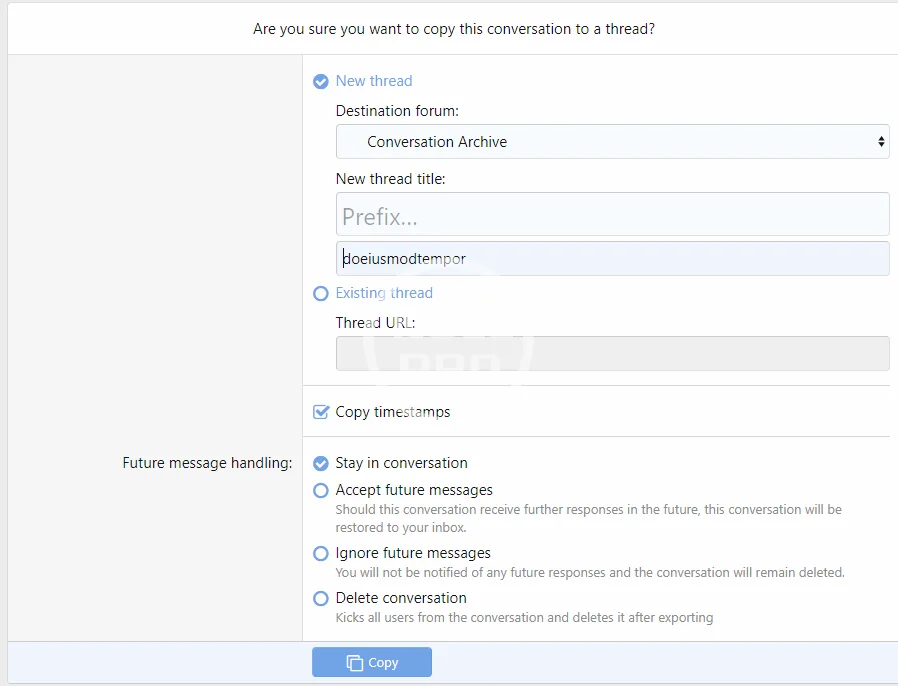
- Copy Conversation/Conversation Message to thread. Allow exporting of entire conversations or selected messages to a thread.
- Preserve ip/edit history/timestamps depending on permissions.
- On exporting entire conversation, options to stay/leave/kick everyone from the conversation.
- Works with very large conversations due to using deferred tasks
- Conversation Warnings. Allows issuing warnings against a conversation message
- Performance is a feature, this add-on is designed with an eye to ensure performance is not impacted even with more features
- View last read date
- Can keep read date private
- Bypass all read date privacy
- Bypass non-admin read date privacy
- Bypass non-staff read date privacy
- [ConvEss] Edit own conversations
- [ConvEss] Can have Auto Response message
- [ConvEss] Copy conversation messages to thread
- [ConvEss] Time limit on deleting own messages (minutes)
- [ConvEss] Can create conversation labels
- [ConvEss] Can create conversation rules
- [ConvEss] Can create participant groups
- [ConvEss] Rejoin deleted conversations
- [ConvEss] Inbox Size (max number of messages). Zero (0) = unlimited
- [ConvEss] Inbox Size (max number of conversations). Zero (0) = unlimited
- [ConvEss] Can kick participants from own conversations


![[Xon] Moderator Essentials](/data/resource_icons/0/938.jpg?1752647418)

![[Xon] Report Centre Essentials](/data/resource_icons/13/13676.jpg?1720149306)