
![[Prash] Asset Manager](/data/resource_icons/28/28087.jpg?1785324501)
- XF-Kompatibilität
- 2.3.x
- Kurzbeschreibung
- Asset Manager simplifies image and media management in XenForo with a modern file manager-style interface. Easily upload, organize, and manage files directly from the AdminCP for enhanced security and organization. Free for the wider community.
![[Prash] Asset Manager G.webp](https://null2.bynull.com/2026/07/29/thumb/nullpro-128154_bd01b89ae06c2e8b264f8cf609efc3f0.webp "[Prash] Asset Manager G.webp")
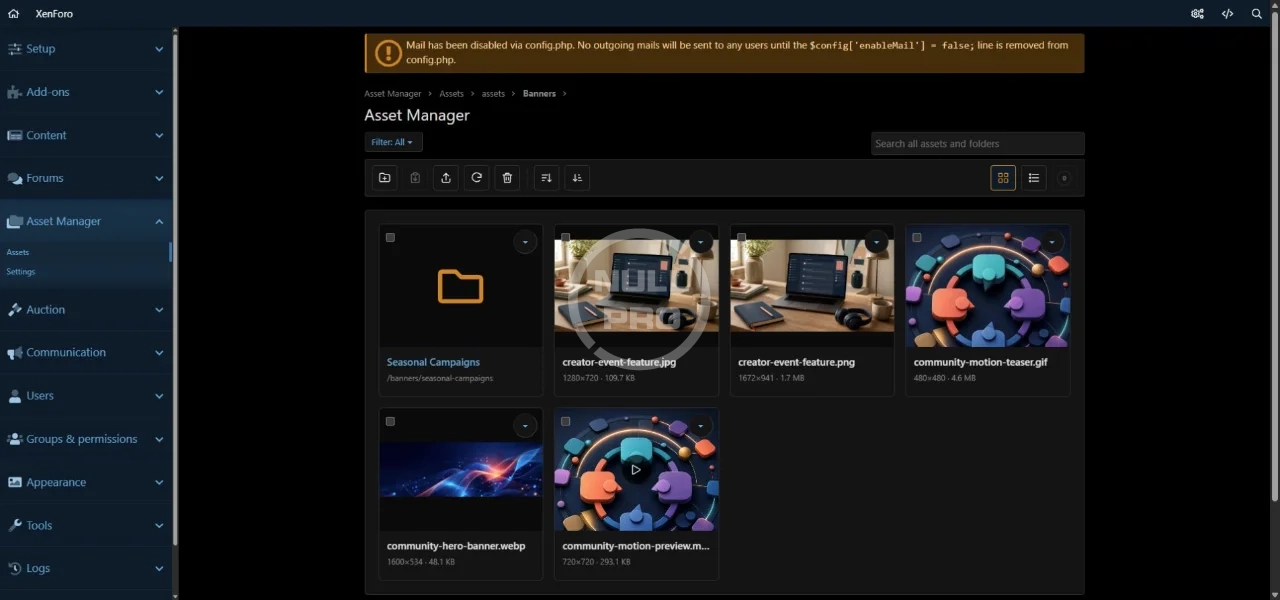
Asset Manager gives XenForo administrators a visual and organized way to manage images, animated GIFs, videos, banners, logos, advertisements, promotional graphics, and other public website files directly from the AdminCP.
The add-on was originally developed for the No Stress Limited forum network, including:
It is now available free for the wider XenForo community.
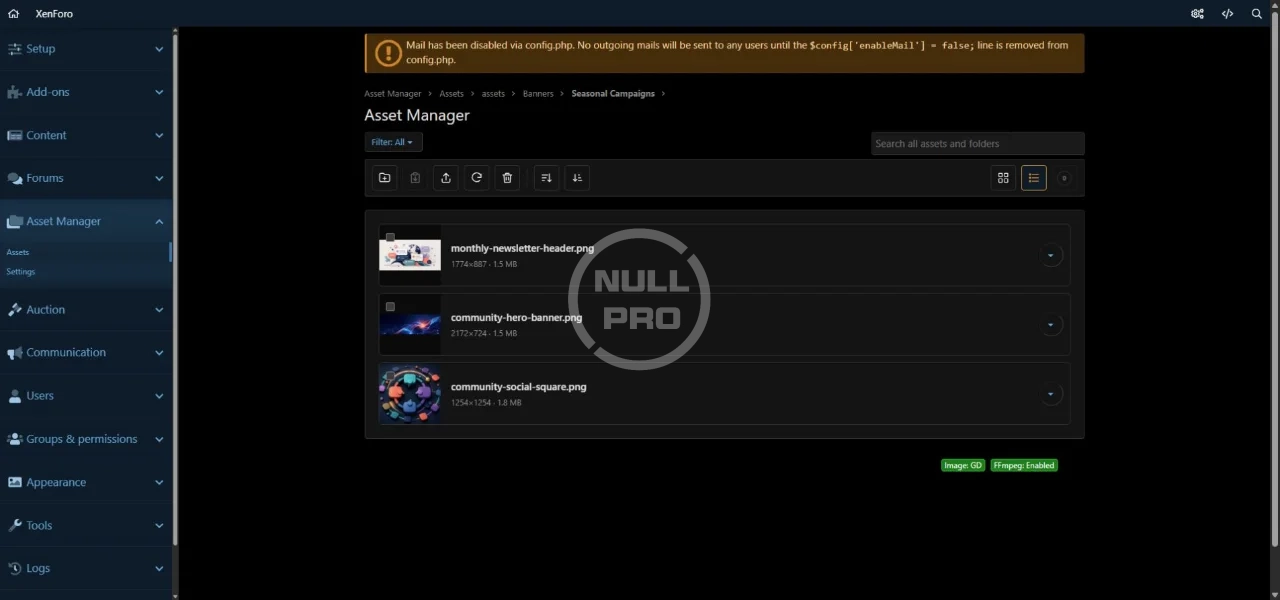
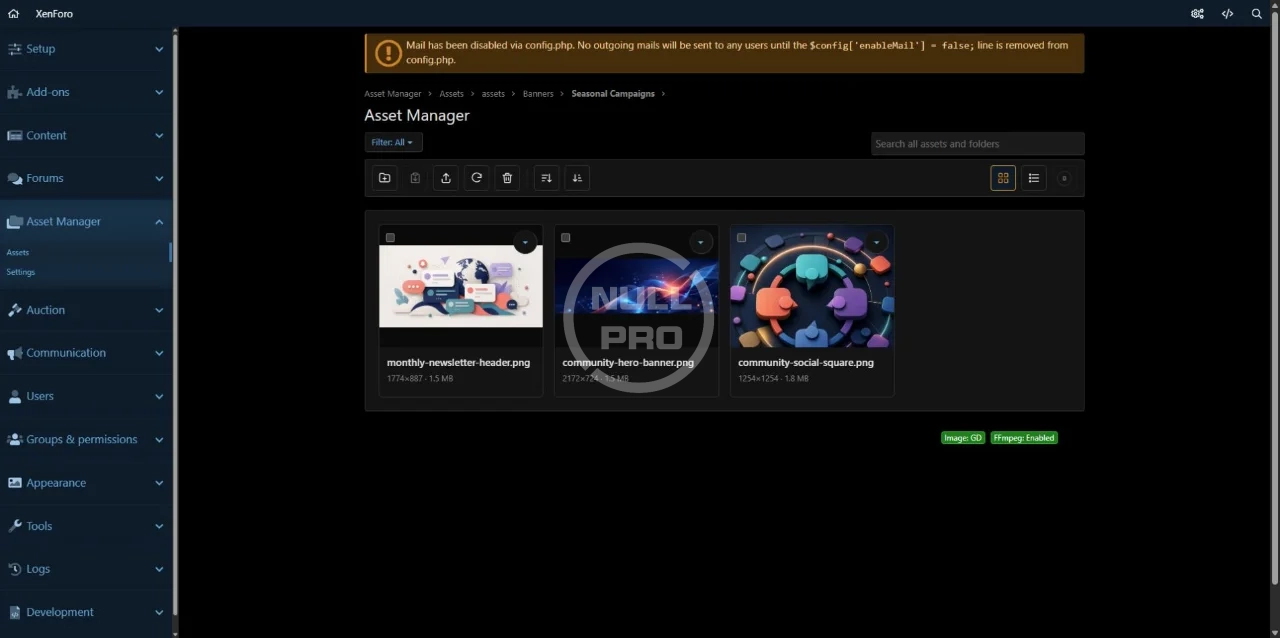
Browse and manage your public website assets through a modern file manager-style interface inside the XenForo AdminCP.
- Grid and list views
- Nested folder navigation
- Global search for files and folders
- Filter by images, animated GIFs, or videos
- Sort by filename, file size, creation date, or update date
- Media preview panel
- Keyboard navigation
- Right-click and long-press context menus
- Quick actions inspired by modern desktop file managers
Create folders and subfolders to keep your website assets properly organized.
- Create and rename folders
- Move or copy files and folders
- Nested folder support
- Breadcrumb navigation
- Open folders in the current tab or a new tab
- Download complete folders as ZIP archives
- Restore folders and their contents from trash
Upload multiple files directly from the AdminCP using a modern drag-and-drop interface.
- Multi-file uploads
- Drag files onto the library page
- Upload progress for each file
- Support for large uploads
- Optional compression and conversion
- Keep the original file when creating an optimized version
- Upload directly into a selected folder
Prepare your media for use around your forum without leaving the AdminCP.
- Duplicate, compress, convert, and resize images and videos
- Crop images and videos (Freeform, 1:1, 16:9, and 4:3 crop presets)
- Replace existing files
- Keep the original alongside the processed version
- Choose the preferred output quality
- View live progress for background processing tasks
Select multiple files and folders to manage large groups of assets more efficiently.
- Select all or clear the current selection
- Bulk copy, move, restore, move to trash & permanent deletion
- Skip or overwrite conflicting files
- Keep copied or moved items ready while browsing between folders
Deleted assets are moved to a protected trash area instead of being destroyed immediately.
- Restore individual files & complete folder trees
- Resolve conflicts during restoration
- Permanently delete selected items or empty the entire trash
- Automatically remove old trashed items
Asset Manager does not lock you into its upload interface.
Files and folders added through FTP, SSH, deployment tools, or another server-side process can be imported into the media library.
- Manual Scan now action
- Automatic scheduled scanning
- Import existing folders and supported media
- Detect files that were changed outside Asset Manager
- Identify missing files
- Refresh stored file information automatically
Asset Manager is available only inside the XenForo AdminCP.
Separate administrator permissions are provided for:
- Managing assets
- Managing Asset Manager settings
Asset Manager is useful for managing:
- Forum logos
- Advertising banners
- Sponsor graphics
- Promotional images
- Landing-page media
- Event graphics
- Downloadable media
- Theme and design assets
- Images and videos used in custom pages
- Download the release ZIP.
- Install it through AdminCP → Add-ons → Install/upgrade from archive.
- Grant the appropriate administrator the Manage assets permission.
- Open Asset Manager from the AdminCP.
- Use Scan now to import any existing supported media.
Asset Manager is an administrator tool for managing public website assets.
It is not a member-facing gallery, attachment manager, download marketplace, or replacement for XenForo Media Gallery.
Files managed through Asset Manager remain ordinary public website assets that can be used throughout your XenForo installation.
![[Prash] Asset Manager G.webp](https://null2.bynull.com/2026/07/29/nullpro-128150_bd01b89ae06c2e8b264f8cf609efc3f0.webp)


![[AdnyB] Edit delete limit manager](/data/resource_icons/23/23083.jpg?1734064574)

![[AKL] Resource Manager Dropdown menu](/data/resource_icons/24/24140.jpg?1742296963)