Glover POS extension

Glover POS extension 1.4.2

Keine Berechtigung zum Herunterladen
Kurzbeschreibung
For Glover
image.png
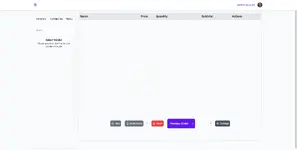
POS is to sell to onsite/call-in customers
HOW TO INSTALL
Here are the steps needed to have POS installed on your server.
1.
Buy/Download the extension
2.
Go to extensions menu on your backend
3.
Click on Install button, and import the pos zipped file that you downloaded
4.
Then click on Install button
NOTE: You might have to refresh your page to load the new POS menu

HOW TO USE
Login to the backend
1.
Scroll to the bottom of the menu list, there should be a new menu, POS
2.
Select POS
SCREENSHOTS
Autor
theresa
Ansichten
324
Erweiterungstyp
zip
Dateigröße
738.8 KB
Erste Veröffentlichung
Letzte Aktualisierung
Bewertungen 0.00 Sterne 0 Bewertungen
Link was Broken? Please Nachricht senden an das NP-Team – wir helfen dir schnell!
Unterstütze den Entwickler Wenn du mit dem Test zufrieden bist oder mit deinem Projekt erfolgreich Geld verdient hast, klicke auf den Button Mehr Informationen, um den Entwickler durch einen Kauf zu unterstützen.

Neueste Aktualisierungen

  1. 1.4.2 - changelog
    no changelog for this version
  2. 1.3.0 - 2023-02-01
    no changelog

Weitere Ressourcen von theresa

Geoport - Transport & Logistics WordPress Theme T
Geoport is the best WordPress theme for logistics, transport, and cargo company Websites.
Admin and Site Enhancements (ASE) T
easily enhance various admin workflows and site aspects while replacing multiple plugins
Masteriyo PRO  - LMS for WordPress Plugins T
You must ensure that you have installed each necessary before you can start using the Masteriyo.
Oben