

- Kurzbeschreibung
- a combination of Fluent Design styles Microsoft, iOS Design, Android Design and Google Design.
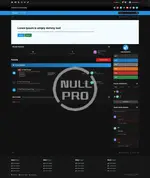
Fluent Design Theme Edition is a combination of Fluent Design styles Microsoft, iOS Design, Android Design and Google Design. We have also introduced many interesting features that are unique in standard themes.
Other settings:
- It is possible to change all colors, both light and dark, by editing the settings (without editing the CSS code),
- Enable / disable animation and direction animation,
- Adjust the width of the blocks in the footer,
- Adding your own background along with its setting in the footer,
- Changing the position of the forum description (Before or after sub-forums),
- Enable / disable shrink forum names,
- Enable / disable Forum statistics (Posts and topics),
- Custom forum category icons (Font Awesome 5),
- Enable / disable Unread Forum Badge,
- *Recommended* Viewing Topic Ratings in the Forum View,
- Viewing Topic Reactions in the Forum View,
- Custom background with customization (Separate for dark and light modes or only one for all styles),
- *Recommended* Personalization of the Scrollbar,
- Change the position of the cake when the user has a birthday in topic view (Next to the nickname or At the bottom of cAuthorPane),
- *Recommended* Notification with a red message if user the inbox is full,
- *Recommended* Blocking of reputation reversal,
- Enable / disable "Go to top" button,
- Enable / disable icons in Profile Fields,
- Change the position of the logo (Right, Left, Center),
- Header height change,
- Enable / disable sticky userbar,
- Enable / disable search icon in elUserNav,
- Enable / disable social media icons (Own icons with Font Awesome 5),
- Changing the position of social media (UserBar, Header, Footer),
- Enable / disable nav icons (Own icons with Font Awesome 5),
- Enable / disable UserLink_menu icons (Own icons with Font Awesome 5),
- Change the navigation background,
- Your own image in the header with its personalization,
- Enable / disable home icon
- Enable / disable Hook the navigation bar to the mobile style screen,
- You can choose the default header's style or with the logo only in the center of the screen in mobile mode.
- Changing all button positions in elMobileNav,
- Ability to choose the main color,
- *Recommended* It is possible to turn on the automatic change of the dark / light theme depending on the settings in the system,
- [cAuthorPane] Enable nick formatting,
- Change position "Report" and "Edit" button,
- Enable / disable Online status icon in topics,
- *Recommended* [Signature] Enable / disable text collapse,
- Hide the "Mark as resolved" button in the first post,
- Possibility to choose the location of the field with widgets (Default or on the entire width of the page),
- Enable / disable widgets icons (Own icons with Font Awesome 5),
- Change widget title text-align,
- *Recommended* Enable / disable trophies in top blocks,
- Enable / disable (Who's Online Witget) Count all users together,
- (Topic Feed) Show / hide where the topic was written,
- (Post Feed) Show / hide a piece of post content,
- (Post Feed) Show / hide where the topic was written,
- Option to colorize ticket statuses from ModeratorCP,
- Ability to disable hooking items from the userbar,
- Option to change the language in the form of a drop-down list or flags,
- Separate logos for the dark and light theme


